
Adobe Animate
Animation made easy. Start your creative journey with Animate.
Course Overview
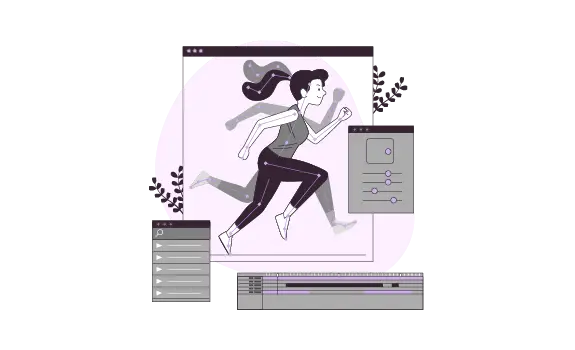
Adobe Animate CC or previously known as Flash Professional is the world’s leading multimedia 2D animation authoring program used for creating content for the Adobe Engagement Platform, such as web animation and applications, cartoons, games, presentations and movies, and content for mobile phones, tablets and other embedded devices.
Hailed as one the best Multimedia Schools in the Philippines!
- Adobe Enterprise Licensed Application
- Classes are led by Adobe Industry Professionals
- Using Adobe Animate CC 2026 (Latest Version)
- Experience Adobe's New Artificial Intelligence Features!
- Pearson Vue Accredited Testing Center
- PhilGEPS Accredited Center
- Globally Recognized Course Certificate
Course Outline
Introduction to Adobe Animate
- Dissecting the Workspace
- Customizing the Workspace
Drawing and Animation Tools
- Using the Drawing and Color Tools
- Basic Animation Using Frame by Frame
- Animating Using Shape Tween
- Classic Tweening
- Motion Tweening
- Animating with the Burn Tool
Advanced Animation Techniques
- Symbols and Instances
- Filters and Blend Modes
- Using Preset Animations
Interactive Elements
- Creating Buttons
- Movie Clips
- ActionScript Basics and Behaviors
Working with Media
- Working with Bitmaps
- Working with Text
- Integrating Sound
- Integrating Video
Components and Forms
- Using Forms and Components
Publishing and Integration
- Publishing and Exporting Your Animation
- Video Player
- Website Integration
Frequently Asked Questions
What are the prerequisites for Adobe Animate training?
- Basic computer knowledge and skills in Mac or PC.
- Knowledge in any graphic design especially in any vector editing application (Adobe Illustrator or CorelDraw) is required.
- Knowledge in 2D and 3D is an advantage but not required.
What's included after completing the training?
- Certificate of course completion
- Training references (PDF)
- Exercise materials
- Some add-ons
- Free trainer consultation
- Unlimited Free Retakes
How to avail the Unlimited Free Retakes?
Unlimited Retakes = Unlimited Hours of Learning!
We understand that individuals have different learning styles and paces, that’s why we offer the opportunity to learn at your own speed. If you need more time to grasp a concept, you are welcome to come back and retake the class at no additional cost. We believe in providing students with the support they need to succeed.
To Avail: Finish the course to qualify for the unlimited refresher classes
Validity: 1 Year
Who is this Adobe Animate training designed for?
- 2D Animators: Professionals who create character-based animations for television, film, and web series using frame-by-frame or rigging techniques.
- Game Developers: Indie developers and artists who design interactive 2D assets, sprites, and cinematic cutscenes for mobile and desktop games.
- Web Designers and Developers: Creators who build interactive banner ads, animated infographics, and high-performance vector content for websites using HTML5 Canvas and WebGL.
- Educational Content Creators: Professionals developing e-learning modules, interactive tutorials, and digital “explainer” videos that require user engagement.
- Social Media Content Creators: Influencers and marketers who produce eye-catching short-form animations and GIFs for platforms like Instagram, TikTok, and YouTube.
- UI/UX Designers: Designers who prototype complex micro-interactions and motion transitions to demonstrate how an app or interface should feel.
- Storyboard Artists: Individuals who use the software’s timeline and drawing tools to map out sequences for larger production pipelines.
- Educators and Students: Teachers and students in digital media and animation programs learning the fundamentals of the “12 Principles of Animation” through an industry-standard tool.
Enroll 4 & get extra ₱500/pax off
Retake the course at no extra cost
- Basic to Advanced Coverage
- Using Adobe Enterprise License
- Certificate of Completion
- Training Materials and References
- Free Wifi Access
- Free Unlimited Coffee
- Free Trainer Consultation
- Free Unlimited Class Retakes
OCTOBER 2026
About the Registration
Feel free to register! Registering does not commit you to paying for the course immediately. Registration helps us track attendee numbers and enables us to stay in touch. Payment will only be requested once the course is confirmed to proceed.
Note: When choosing a schedule, you are limited to the available training dates posted on our website.